

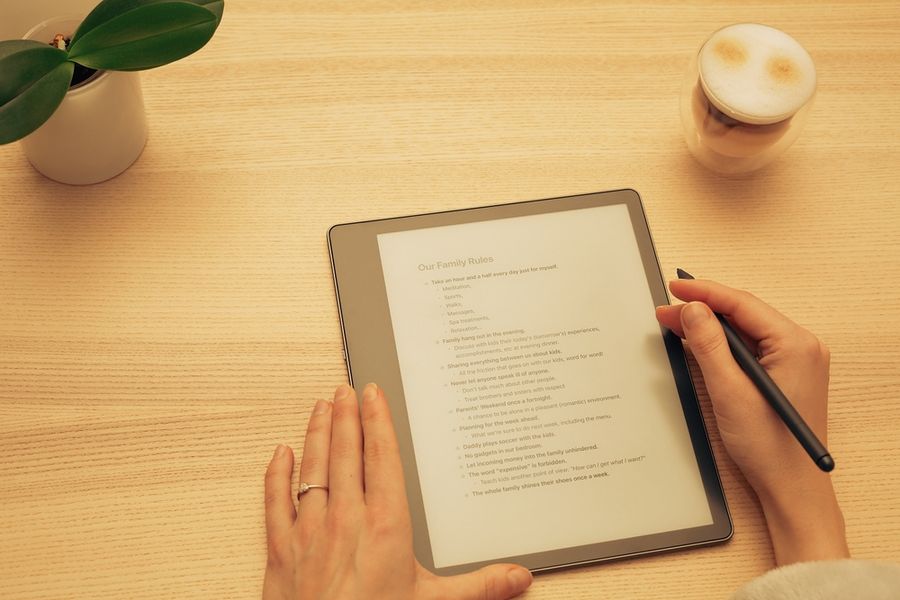
Many writers want a digital tool that feels calm and focused, without alerts, apps, or constant noise. E-ink tablets have become popular, especially for people who want the feel of writing on paper with the benefits of digital storage. Two of the most talked-about devices are reMarkable and Kindle Scribe. Both promise distraction-free writing, but they approach that goal in different ways. Understanding how they compare can help you choose the right tool for focused writing.
What Distraction-Free Writing Really Means
Distraction-free writing is about reducing mental clutter. It means fewer notifications, fewer choices, and fewer reasons to leave the page. For many writers, this leads to deeper focus and longer writing sessions.
Both reMarkable and Kindle Scribe use e-ink screens, which look more like paper than traditional tablets. E-ink reduces eye strain and removes bright colors and animations. This creates a calmer experience than phones or laptops. However, distraction-free writing is not only about the screen. Software design, features, and overall intent also play a major role.
reMarkable: Built for Writing First
reMarkable is designed with one clear purpose: writing and thinking. From the moment you turn it on, the interface feels minimal. There are no social apps, no web browsing, and no pop-ups competing for attention.
The writing experience is often described as very close to paper. The screen texture and pen response are tuned for handwriting. Latency is low, so strokes appear almost instantly. This makes long writing sessions feel natural and smooth.
reMarkable focuses heavily on handwritten notes. It supports notebooks, folders, and basic organization tools. Text is not surrounded by extra features. This simplicity helps writers stay focused on ideas rather than tools. For people who want a digital notebook replacement, reMarkable strongly supports distraction-free writing.
Kindle Scribe: Writing Inside a Reading Ecosystem
Kindle Scribe comes from Amazon’s long history with e-readers. Its main strength is blending reading and writing in one device. You can read books, PDFs, and documents, then write notes directly on supported content.
For writers who do a lot of research or annotation, this can be helpful. Notes can be added while reading, and ideas stay close to source material. The writing experience is smooth, though it feels slightly more structured than reMarkable.
However, Kindle Scribe is part of a larger ecosystem. The interface includes access to books, libraries, and account features. While it is still far calmer than a tablet, it offers more paths away from pure writing. For some writers, this is useful. For others, it adds mild distraction.
Writing Feel and Pen Experience
Both devices use stylus input, but the feel is different. reMarkable places strong emphasis on replicating pen-on-paper friction. The screen has more resistance, which many writers enjoy for long handwritten work.
Kindle Scribe feels smoother. Writing glides more easily across the surface. Some users prefer this, especially for faster note-taking. Others find it slightly less paper-like.
Neither experience is wrong. The choice depends on personal preference. Writers who want a notebook feel often lean toward reMarkable. Writers who want smooth strokes and lighter pressure may prefer Kindle Scribe.
Organization and Workflow
Organization matters for distraction-free writing. If finding notes takes effort, focus is broken. reMarkable uses folders and notebooks with a clean layout. The system is simple and easy to understand. There are fewer options, but that is part of its strength.
Kindle Scribe organizes notes around books, documents, and notebooks. This works well if your writing is tied to reading. However, it can feel less flexible for purely freeform writing projects.
reMarkable’s workflow supports open-ended thinking. Kindle Scribe’s workflow supports structured reading and note-taking. Knowing how you write helps determine which system supports focus better.
Typing, Text Conversion, and Editing
Both devices focus on handwriting rather than typing. reMarkable offers handwriting-to-text conversion, which can be helpful for turning notes into editable text later. This supports drafting ideas by hand, then refining them elsewhere.
Kindle Scribe also supports text features, but its strength is annotation rather than drafting. Editing long text directly on either device is limited compared to a laptop. These tools are best used for thinking, outlining, journaling, or early drafts.
If your goal is focused idea generation rather than final editing, both devices work well. reMarkable leans more toward writing-first workflows.
Distraction Control and Mental Space
reMarkable intentionally limits features. This reduces decision fatigue. There are fewer settings, fewer menus, and fewer reasons to explore. For many writers, this creates mental quiet.
Kindle Scribe offers more options by design. While still calm, it allows reading, browsing your library, and switching contexts. Some writers enjoy this flexibility. Others find that even small choices can break focus.
Distraction-free writing is personal. What feels freeing to one person may feel limiting to another. The difference lies in how much structure you want versus how much openness you need.
Who Each Device Is Best For
reMarkable works best for writers who want a digital notebook replacement. Journal writers, planners, thinkers, and longhand writers often value its simplicity. It suits people who want to remove as many distractions as possible.
Kindle Scribe works well for readers who write. Researchers, students, and professionals who annotate documents may prefer its integration with reading. It supports focused work while still offering access to content.
Both devices reduce distraction compared to phones and tablets. The difference is how strictly they enforce focus.
Choosing the Right Tool for Focused Writing
Both reMarkable and Kindle Scribe support distraction-free writing, but they serve different writing styles. reMarkable is built around writing first, with strong focus on simplicity and paper-like feel. Kindle Scribe blends writing with reading, offering structure and integration.
With a gamut of choices available in this niche market, the best choice depends on how you think, write, and organize ideas. When the tool matches your workflow, focus becomes easier and writing feels more natural.